Hypic AI Expand Photo Editing App is very popular right now because it offers many powerful features to improve your photos. The app is easy to use and does not require much effort. Its simple interface helps you edit image quickly and create high-quality results without any difficulty.
To get the best results, you only need to enter the right inputs, also called prompts. These prompts help the app understand what kind of image you want to create. I will also explain how you can write effective prompts to get better snaps.
To use this tool, I have provided a link below where you can download the hypic official version of the app at a very affordable price.
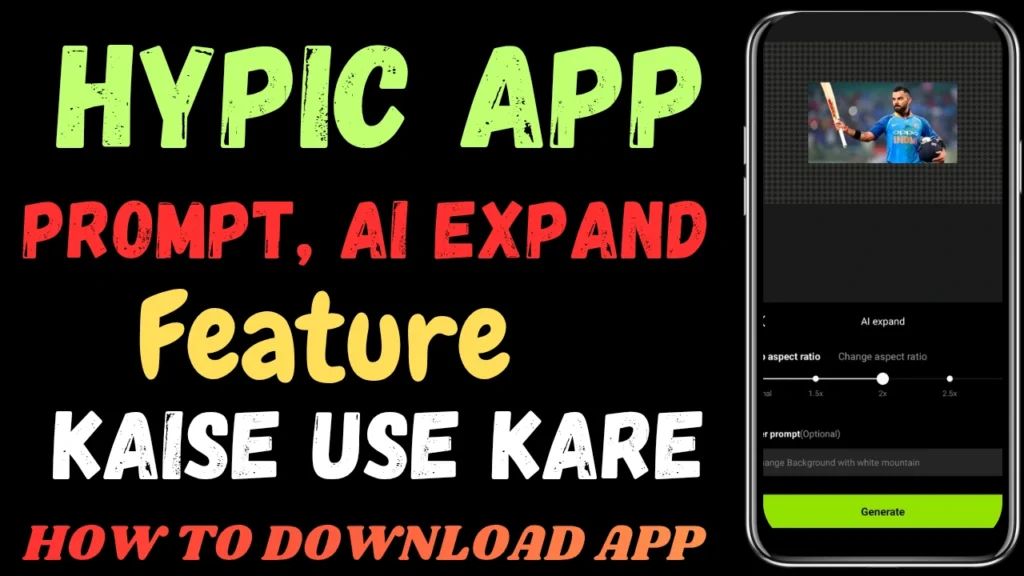
Hypic AI Expand Art Feature Background Change
Its best feature is called AI Expand. This feature lets you create images in any style by simply writing a text prompt. You just need to describe what you want, and the app will generate the image for you.
In my opinion, this is one of the best apps of its kind that I have ever used, and I strongly recommend that you try it. I have also provided it at a very affordable price, so you can download it and see how powerful its photo editing features really are.
First, download and install hypic app. The process is very simple. After installation, open the app. If an update is available, the app will show an Update option. Just click on it to update the app.
Once the update is complete, the app will be fully ready to use. After that, you can follow the steps below to learn how to use the app properly.
Now, I will guide you step by step on how to use this feature. This guide will help you create your own images easily inside the app.
Follow Steps:
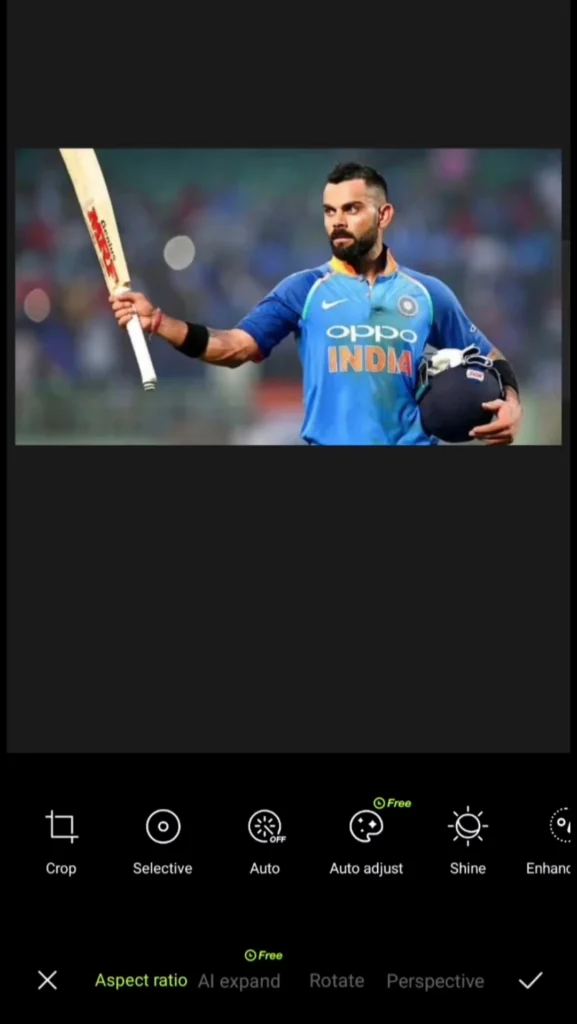
- In the first step, choose the photo that you want to edit. Then, you will see the “Adjust” option. Click on it to continue.

- After clicking on “Adjust”, you will see several options. The second option will be “AI Expand”. Click on AI Expand to continue.
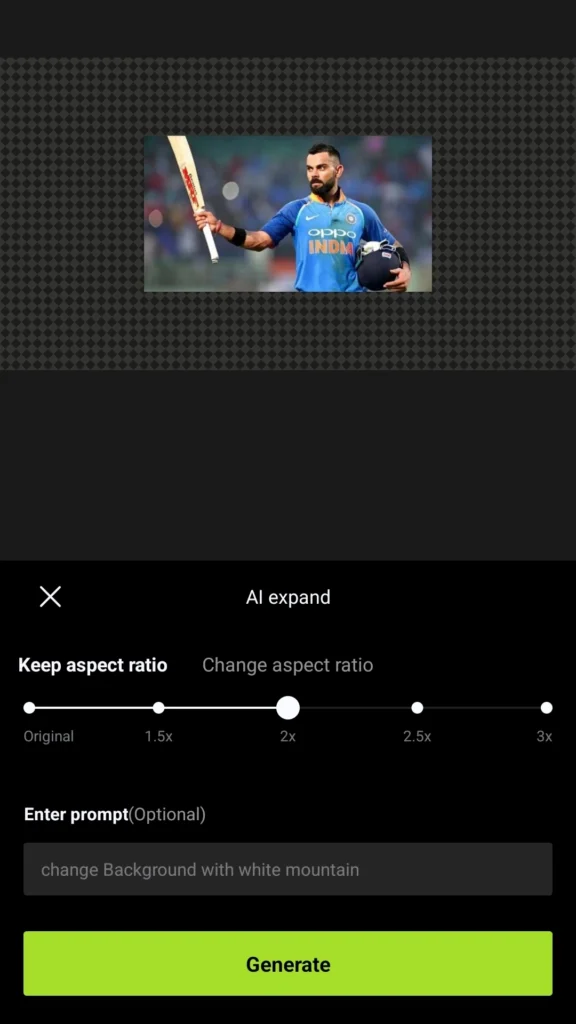
- At the bottom, you will see the “Prompt (optional)” option. Here, you can write any prompt you want. Simply describe the type of image you would like to create.
- You can also choose the aspect ratio for your image. After setting everything, click on “Generate.” The app will then create the image for you.
- Based on the prompt, the app changes the background of the image. As you can see, the background is available in three different options, and you will see the same options on your screen.
- You can choose the image you like by clicking on the options shown at the bottom. After selecting your preferred result, you can quickly save the image to your phone.
- This is how you use this feature. It is a very useful and powerful tool for photo editing.

Change Any Photo Background Instantly with Hypic AI APK
Hypic AI Background Changer allows you to replace the background of your photos quickly and accurately. The AI automatically detects the subject in the image and separates it from the background without manual editing.
You can replace the background with scenic landscapes, cinematic skies, mountains, beaches, or blurred studio effects. This feature helps users create professional-looking photos without advanced editing skills.
Hypic provides many ready-made backgrounds and filters, making it easy to create attractive images for social media posts, profile pictures, and creative projects. With just a few clicks, you can transform an ordinary photo into a stunning visual.
Create Professional Cinematic Photos with Hypic Editor
Hypic Cinematic Photo Editor helps you turn ordinary photos into dramatic cinematic images. The app offers cinematic filters, lighting adjustments, and AI-based color grading tools that give your photos a movie-like appearance.
You can adjust contrast, highlights, shadows, and tones to create a professional look. Many creators use Hypic cinematic effects for Instagram posts, reels thumbnails, and aesthetic photography.
With its simple interface and powerful tools, Hypic allows beginners and professionals to create impressive cinematic edits quickly. The final result looks sharp, stylish, and perfect for modern visual content.
Enhance Photo Quality with Hypic AI Image Enhancer
Hypic AI Image Enhancer automatically improves your photos using smart AI technology. The tool detects lighting problems, color imbalance, and blur, then corrects them instantly.
You can enhance portraits, nature shots, and indoor photos with just one tap. The AI sharpens details, increases clarity, and adjusts colors to make the image look more vibrant and professional.
This feature saves time because you do not need manual editing skills. AI Image Enhancer delivers quick results and makes every photo look cleaner, brighter, and more appealing.
Generate Creative Images with Hypic Prompt Generator Tool
Do you want to create high-quality photos but need help writing good prompts? If you find it difficult to write prompts—whether simple or detailed—there is no need to worry.
Today, I am sharing a tool that can help you create excellent prompts for your photos. You can use this tool with almost any app. You just need to choose a few keywords that best describe the image you want to create. The tool will then generate a strong prompt for you.
This tool is very helpful and easy to use. I have provided a link, hypic prompt text generator free. Simply click the link to visit the new page. After that, enter details about your subject, and the tool will create a unique and impressive prompt for your photo.
Conclusion
Right now, I believe Hypic App is one of the best apps available. It offers many excellent features and useful options for photo editing.
Its best feature Hypic Ai expand. You just need to give it a prompt, and it will create a high-quality image for you. This makes photo editing very easy and fast.
I strongly recommend that you try this app at least once. I am sure that after using it, it can become your favorite photo editing app.
FAQ’s
Hypic Ai Expand Prompt Text Online
Yes, you can easily use this tool online. Simply visit our website and search for “AI Prompt Generator.” You will find the tool there.
Hypic Ai Expand Prompt Free Tool
Yes, tool is free to use, you can create high-quality prompts for your images. Just enter a few keywords related to the image you want, and the tool will generate strong prompts for you. You can create unlimited prompts quickly and easily.