If you’re looking for beautiful Hypic background prompts, you’re in the right place. In this post, I’ll share some of the best background prompts that I’ve personally used, and they’re all completely free.
I’ll also show you how to use them with simple step-by-step instructions. Plus, I’ve included links to a free prompt generator tool.
Here you will find easy-to-use prompts that work well in the Hypic AI Photo Editor. You can copy the text, paste it into Hypic, and create professional-looking backgrounds within seconds.
Whether you want a blur background, nature background, studio background, cinematic effect, or luxury AI background, this article includes the best prompts for every style.
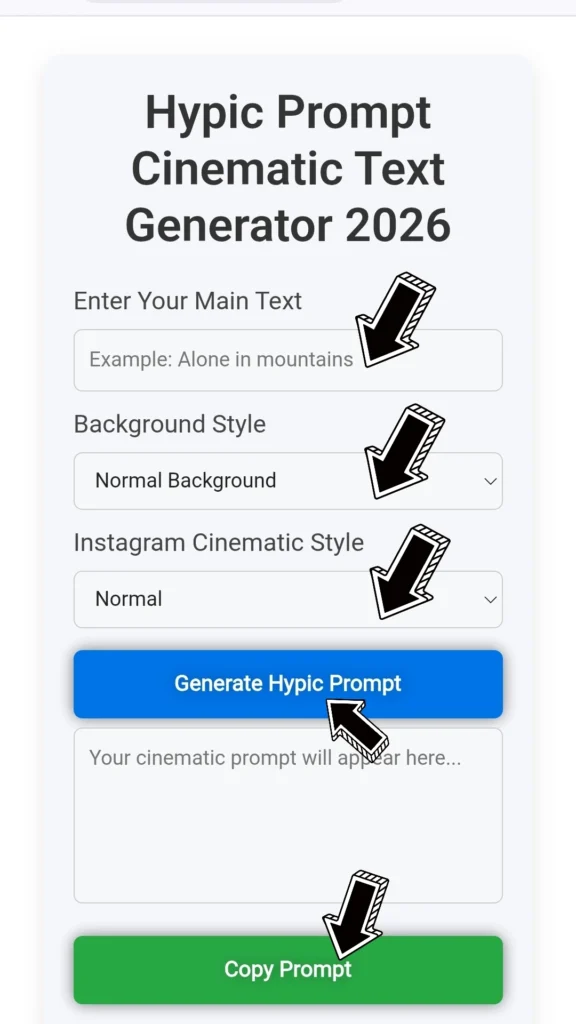
What is the Hypic AI background?
Hypic is an AI-powered photo editing application that allows users to replace or generate beautiful backgrounds using text prompts. Instead of manually editing images, you only need to describe the scene you want.
For example, if you type the following:
“Luxury modern room with soft lighting and natural shadows”
Hypic AI creates a realistic background based on your description. This makes photo editing much faster and easier.
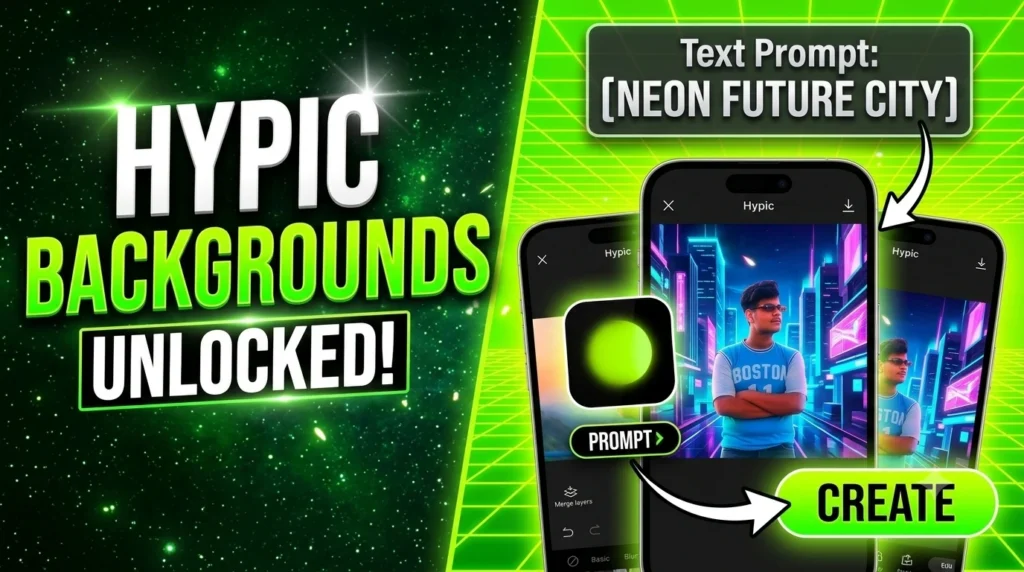
Why Use Hypic AI Background Prompts?
Using a good prompt gives better AI results. A detailed AI prompt helps Hypic understand exactly what you want.
Benefits of Good Prompts
- Better image quality
- More realistic backgrounds
- Professional editing
- Saves time
- Perfect for Instagram photos
- Great for YouTube thumbnails
- Suitable for product photography
- Ideal for profile pictures
Best Hypic Background Prompts (Copy & Paste)
1. Blur Background Prompt
Ultra realistic DSLR portrait background, soft natural blur, creamy bokeh effect, warm sunlight, highly detailed, realistic lighting, professional photography, 8K quality
2. Luxury Room Background
Luxury modern living room, elegant furniture, warm ambient lighting, wooden floor, large glass windows, premium interior design, realistic shadows, ultra HD
3. Nature Background
Beautiful green forest with sunlight passing through trees, colorful flowers, cinematic lighting, peaceful atmosphere, realistic depth, high quality nature scenery
4. Mountain Background
Snow covered mountains, blue sky, golden sunrise, beautiful clouds, realistic landscape, ultra detailed, cinematic view, natural lighting
5. Coffee Shop Background
Modern coffee shop interior, wooden furniture, warm lights, cozy atmosphere, blurred background, premium cafe style, ultra realistic photography
6. Office Background
Modern corporate office with glass walls, elegant desk setup, natural sunlight, premium workspace, realistic shadows, professional environment
7. Studio Background
Professional photography studio, soft lighting, white backdrop, clean environment, realistic shadows, high quality portrait studio
8. Neon Background
Cyberpunk neon lights, purple and blue glowing atmosphere, futuristic city background, cinematic lighting, ultra detailed, high quality
9. Beach Background
Beautiful tropical beach, crystal clear water, white sand, palm trees, sunset lighting, realistic ocean waves, cinematic photography
10. Garden Background
Luxury flower garden with colorful roses, green grass, soft sunlight, natural depth of field, peaceful environment, realistic photography
Hypic Background Text Copy and Paste
Many users search for ready-made background text. Here are some simple prompts.
Soft Blur
Soft blur background, DSLR effect, natural lighting, realistic shadows
Luxury Style
Luxury hotel lobby with warm lights, modern design, premium interior, ultra realistic
Sunset
Golden sunset sky, soft orange clouds, beautiful natural lighting, cinematic quality
Rain Effect
Rainy street at night with reflections, colorful lights, realistic atmosphere, ultra HD
Snow Effect
Winter snowfall, beautiful mountains, realistic snowflakes, soft lighting, cinematic look
Best Prompt for Portrait Editing
Copy this prompt for professional portrait editing.
Professional portrait photography, DSLR camera quality, natural skin tone, realistic lighting, soft background blur, highly detailed face, cinematic color grading, ultra realistic 8K
Best AI Prompt for Instagram Photos
Luxury outdoor location, golden hour sunlight, realistic skin texture, soft shadows, vibrant colors, premium photography, ultra HD, cinematic composition
Best Product Background Prompt
If you sell products online, try this prompt.
Minimal white studio background, premium product photography, soft shadow, realistic reflection, professional lighting, clean modern design
Tips for Writing Better Hypic Prompts
Follow these simple tips to improve your AI results.
- Describe the location clearly.
- Mention the lighting.
- Add color information.
- Use words like “realistic,” “ultra HD, cinematic, professional.
- Mention camera style, such as DSLR.
- Include atmosphere like sunny, rainy, golden hour, or cloudy.
- Keep prompts detailed but easy to understand.
Common Hypic Prompt Keywords
These words help create better AI backgrounds.
- Ultra realistic
- Professional photography
- DSLR quality
- Cinematic lighting
- Soft shadows
- Warm lighting
- Natural sunlight
- 8K quality
- High resolution
- Premium design
- Luxury background
- Realistic texture
- Golden hour
- Detailed environment
- Beautiful composition
FAQs
What are Hypic background prompts?
Hypic background prompts are text descriptions that tell the AI what type of background you want to generate.
Can I copy and paste prompts into Hypic?
Yes. Simply copy any prompt, paste it into the AI prompt box, and generate your image.
Which prompt gives the best results?
Detailed prompts usually perform better. Include lighting, environment, colors, camera style, and image quality for the most realistic output.
Are Hypic prompts free?
Most prompts are completely free to use. However, some AI features inside the Hypic app may require an internet connection or premium access depending on your version.
Can I create professional backgrounds with Hypic?
Yes, Hypic can generate studio-quality, cinematic, luxury, nature, office, and many other backgrounds using AI prompts.
Conclusion
Hypic AI makes photo editing easier than ever. With the right prompts, you can create realistic, professional, and eye-catching backgrounds in just a few seconds. Whether you want a blur effect, luxury room, mountain view, beach, office, or cinematic scene, the prompts in this guide are ready to copy and paste.
Save this page for future use and experiment with different prompt combinations to achieve unique AI-generated backgrounds that match your editing style.
1 thought on “20+ Best Hypic Background Prompts Copy and Paste”